
 Welcome bonusUp to 2 000 CAD + 100 FSfor the first 2 deposits
 Welcome bonusUp to 2 000 CAD + 100 FSfor the first 2 deposits

Instant
Quick & easy deposits
Up to 60 mins
Avg time for processing withdrawals

24/7
Customer Support

58,687 CAD
Max. win in 1 spin
We accept top crypto
BTC, ETH, TRX, USDT and more
4700
TOP Slots

Casino



Tiger gems






Live casino






Promotions
Promotion
Change & Win
Tournament
Tom Horn Battle Cup
WinSpirit App: PWA Install or Browser — Two Ways to Play on Mobile
You can play WinSpirit on your phone without downloading anything from an app store. The WinSpirit app runs as a PWA — a Progressive Web App you install directly from your browser — or you can skip the install entirely and play straight from Safari or Chrome. Both options give you the same games, the same cashier, and the same bonuses. This covers everything Canadian players need: the browser version, mobile games, iOS setup, Android setup, and login behaviour across both access methods.
Two Ways to Play WinSpirit on Mobile
You have two distinct options, and the right one depends on how often you play.
The browser version requires nothing from you. Open Safari or Chrome on your phone, go to the Win Spirit website, log in, and you’re playing. No install, no home screen icon, no permissions. When you close the tab, the session ends. Next visit, you enter your credentials again. It suits Canuck players who want a quick session without committing to an install.
The PWA sits on your home screen like a native app. It opens in a standalone window with no browser bar, keeps you logged in between sessions, and can send push notifications when a bonus lands or a new game drops. Install takes under two minutes on any device.
WinSpirit Casino browser version covers instant play without any installation — same game library, no home screen icon required.
Both paths connect to the same account, the same 1,000+ game library, and the same cashier. The difference is purely in how the experience feels day to day.
| Feature | Browser Version | PWA App |
| Install required | No | Yes (home screen) |
| Push notifications | No | Yes |
| Login persistence | Session ends with tab | Persists until logout |
| Offline access | No | No |
| Game library | Full | Full |
| Cashier access | Yes | Yes |
WinSpirit App: What the PWA Delivers
Once installed, the PWA behaves differently from a browser tab in three concrete ways.
First, it opens in a standalone window — no address bar, no browser controls cluttering the screen. The full display goes to the game or lobby you’re in. Second, your session stays active between visits, so you open the app and land directly in your account without re-entering your password each time. Third, push notifications reach you when your weekly cashback is credited, when a Wednesday Free Spins offer goes live, or when a tournament starts.
Win Spirit mobile games covers the full slot and live casino library accessible on both the PWA and browser version — including crash games, jackpots, and live dealer tables.
Installing on Android takes about 60 seconds. Open Chrome, navigate to WS Casino website, tap the three-dot menu in the top right corner, select Install App, and confirm. The icon appears on your home screen immediately. On iOS, open Safari, go to our site, tap the Share icon at the bottom of the screen, and select Add to Home Screen.
iOS and Android: Platform Differences
The install steps differ by platform, and the browser you use matters more than most people expect.
On iOS, Safari is the only browser that can install a PWA to your home screen. Chrome on iPhone does not show the Add to Home Screen option for third-party web apps. If you’re on an iPhone and nothing happens when you try to install from Chrome, switch to Safari — that’s the fix. Push notifications on iOS require iOS 16.4 or later; after your first login in the PWA, accept the notification prompt when it appears.
WS Casino iOS guide covers the Safari install path, notification permissions, and session behaviour in detail.
On Android, Chrome is required for the Install App option to appear. Samsung Internet and Firefox do not display the install prompt on Android, even if they can open the site. If you installed the PWA previously and reinstalled it, you will need to log in once more before the persistent session resumes.
| Feature | iOS | Android |
| Browser for install | Safari only | Chrome only |
| Browser for play | Safari, Chrome | Chrome, Samsung Internet, Firefox |
| Push notifications | iOS 16.4+ required | Available after install |
| Session persistence | Yes (after install) | Yes (after install) |
| APK available | No | No |
WS Casino Mobile Login: One-Time Auth
How login works depends entirely on whether you’re using the PWA or the browser version.
In the PWA, you log in once after installation. Your session stays open until you manually log out or uninstall the app. That means you open the icon on your home screen and go straight to the lobby — no credentials needed each time. On a device shared with others, log out manually when you’re done.
WinSpirit Casino Android guide covers Chrome Install App, the APK question, and session behaviour after install — including what happens when you reinstall.
In the browser, your session closes when the tab does. Every new visit requires your email and password. Both access methods use the same credentials — the same email and password you registered with. Your account, balance, and bonus wallet are identical regardless of which method you use to log in.
What Is Inside the WinSpirit Mobile App
The full Win Spirit library is available on mobile — nothing is stripped out or reduced for smaller screens.
You get 1,000+ slots from providers including BGaming, Pragmatic Play, Spribe, and others. Live dealer tables run through Pragmatic Live, Vivo Gaming, and imagine live, with lobbies covering baccarat, roulette, blackjack, and poker. Crash games like Aviator, Plinko, and Mines sit in their own category. Jackpot slots, bingo, and table games are all reachable from the main navigation just as they are on desktop.
Our cashier on mobile accepts Interac, Visa, Mastercard, Bitcoin, Ethereum, Solana, MiFinity, Neosurf, flexepin, and other methods available in Canada. Minimum withdrawal is 50 CAD; maximum per transaction is 2,000 CAD. Your bonus wallet and wagering progress are visible in your profile, and your VIP tier carries across every access method.
Win Spirit Casino login covers one-time PWA auth and browser session differences — including what happens to your bonus wagering progress between sessions.
Here’s what we include in the WS Casino mobile experience:
- 1,000+ slots, live dealer games, crash titles, jackpots, and table games
- Cashier with Interac, debit cards, crypto, and voucher options
- Bonus wallet with real-time wagering progress tracker
- VIP tier display matching your desktop account exactly
- Push notifications for bonuses, tournaments, and promotions
- 4G-compatible live dealer streaming with no separate app required
When deciding between browser and PWA, consider what kind of session you’re planning:
- Use the browser version for a quick single session when you don’t want to install anything
- Use the PWA for daily play — your session stays open and the lobby loads faster
- Use the PWA if you want push notifications when the Wednesday Free Spins or Tuesday Sports Bonus goes live
- Use the browser version on a device you don’t own or don’t use regularly
Get Started with the Win Spirit App
Installing takes two minutes on Android and about the same on iOS. If you’d rather skip the install, the browser version works without it. Either way, your CAD balance, bonuses, and game library are waiting exactly as you left them. Log in, pick your path, and play.
WS Casino App FAQ
Does the game selection differ between the browser version and the PWA app?
No — both access the identical library. Every slot, live table, crash game, and jackpot title available on desktop is reachable through both the browser version and the installed PWA. No titles are exclusive to either access method.
Does the browser version work without a Wi-Fi connection?
Yes, as long as you have a mobile data connection. Neither the browser version nor the PWA supports offline play. A 4G connection is enough for live dealer tables; slots and crash games run on lower bandwidth.
Can I switch between browser and the app without logging in again?
Partially. Your PWA session persists independently of the browser. If you’re logged into the PWA and open the WS Casino website in Chrome, you’ll need to log in separately in the browser tab. They are treated as different sessions, though the account and balance are the same.
Does the browser version support push notifications?
No. Push notifications are only available after you install the PWA and accept the notification prompt on first login. The browser version has no mechanism to send notifications when a tab is closed, so bonus credits and promotions will not trigger alerts there.
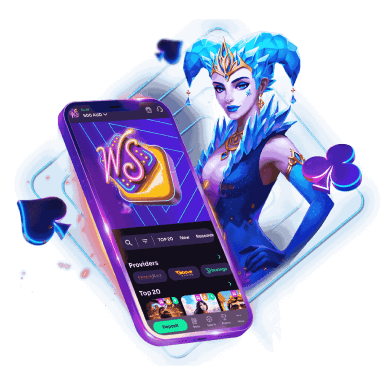
WinSpirit is always with you!
Install the application and participate in the Play with the App promo.
We use innovative installation technology directly from the browser. For any operating system.